Selling
Selling a domain
Which domains you can sell, how to submit one, prove control with a DNS record and pass the human review.
On this page
What you can sell#
Supported registrars: Dynadot and Spaceship. To list a domain in SatsBid auctions, it must first be registered at one of them. If it's elsewhere, transfer it to Dynadot or Spaceship first. How to transfer
- Domains you own outright and have the right to sell.
- Registered at Dynadot or Spaceship, the registrars where SatsBid holds custody accounts. A domain at another registrar must be transferred to one of them first: see Before you transfer.
- Any extension the registrar can move between accounts: generic (.com, .xyz), new gTLDs, country codes (.ai, .io, .si, .co.uk) and internationalized names in any script, including Arabic. Extensions whose registry publishes no RDAP or WHOIS data are checked by hand instead of refused.
- Not expiring within 30 days (renew it first).
- A minimum price of $20 when you list it.
Selling needs an active membership. Listing is free; you pay 10% only when a sale completes.
Step 1: submit#
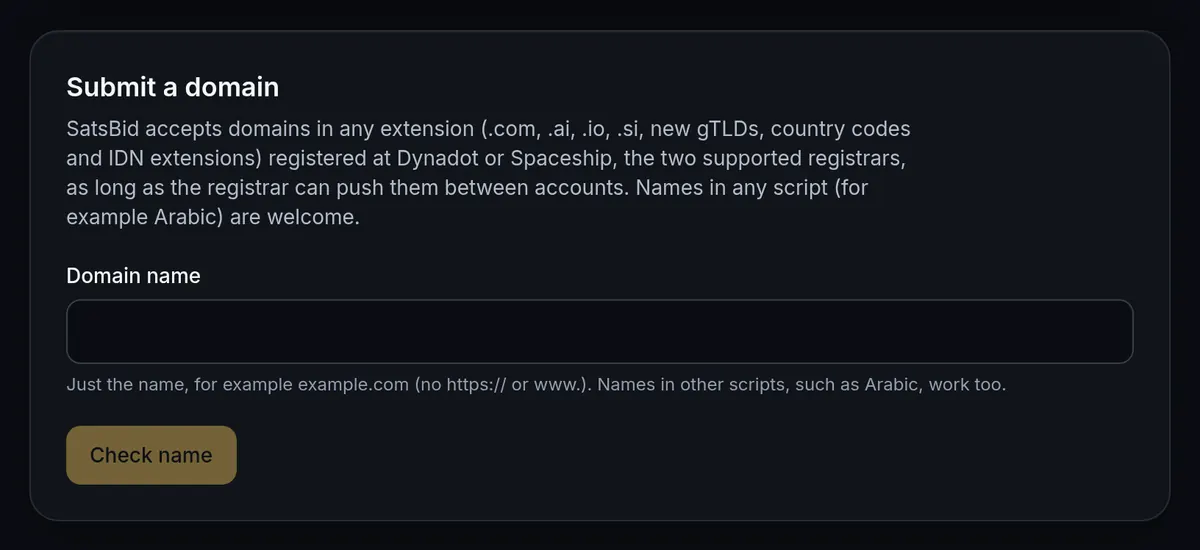
Open Account → Domains, enter the domain and accept the seller declaration (you confirm you own the domain and may sell it). SatsBid normalizes the name, reads its public registry record (RDAP, or the registry WHOIS) and runs automatic checks. Some problems are refused straight away with a plain reason, for example a domain that expires soon or was just transferred.
Step 2: prove control with DNS#
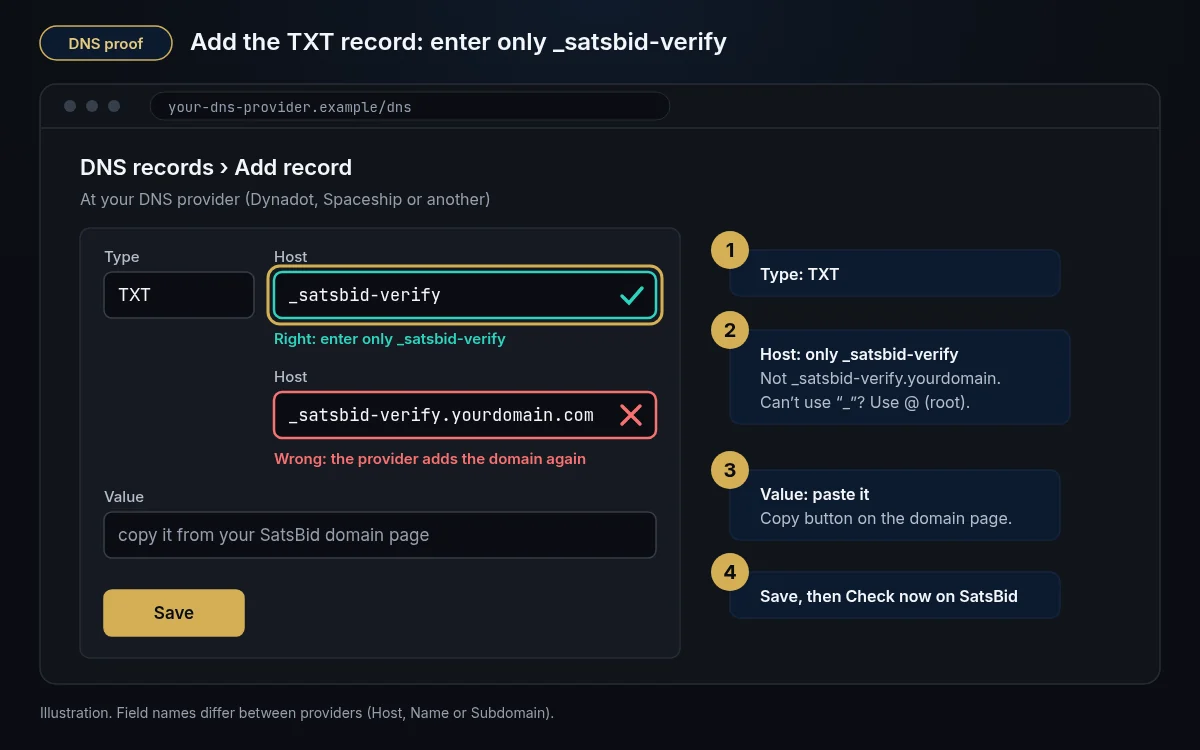
The domain page shows a TXT record to publish at your DNS provider, under the name _satsbid-verify, with copy buttons. Option 1 (recommended) is the host _satsbid-verify. Option 2, for providers that refuse host names starting with an underscore (Dynadot, for example), is the root of the domain: host @ or left empty, with the same value. One of the two is enough, and other TXT records already at the root, such as SPF, can stay. Then choose Check now. SatsBid asks your domain's own (authoritative) nameservers directly, after confirming they are the ones the registry lists: when every one of them returns the record on 2 checks in a row, about a minute apart, the proof is complete, usually within about 2 minutes. Public DNS resolvers are only a backup: if your nameservers cannot be asked, the record must be seen by the resolvers and stay visible for 5 minutes. A single slow resolver pauses the progress, it never restarts it, and the page updates live. If your domain is already in a SatsBid custody account, the registrar confirms it directly and no record is needed. A challenge that is never proven lapses after 14 days. The page shows one current step at a time (add the record, finishing the check, in review), with the nameserver and resolver progress under Details.
Enter only the host#
Most DNS providers (Dynadot, Namecheap and Spaceship among them) add your domain to the host automatically. In the host or subdomain field enter only _satsbid-verify, not _satsbid-verify.yourdomain: otherwise the record lands at _satsbid-verify.yourdomain.yourdomain and cannot count. If SatsBid finds the value at such a doubled name, the domain page says: "Your provider added the domain name twice." Fix the host, and the next check finds it.
Step 3: human review#
A SatsBid verifier reviews the evidence: registry data, the DNS proof and risk signals such as a registrant or nameserver change in the last 14 days. The verifier may approve, reject, or ask you for more information; you answer on the domain page. A domain becomes verified only by a person, never automatically.
Next steps#
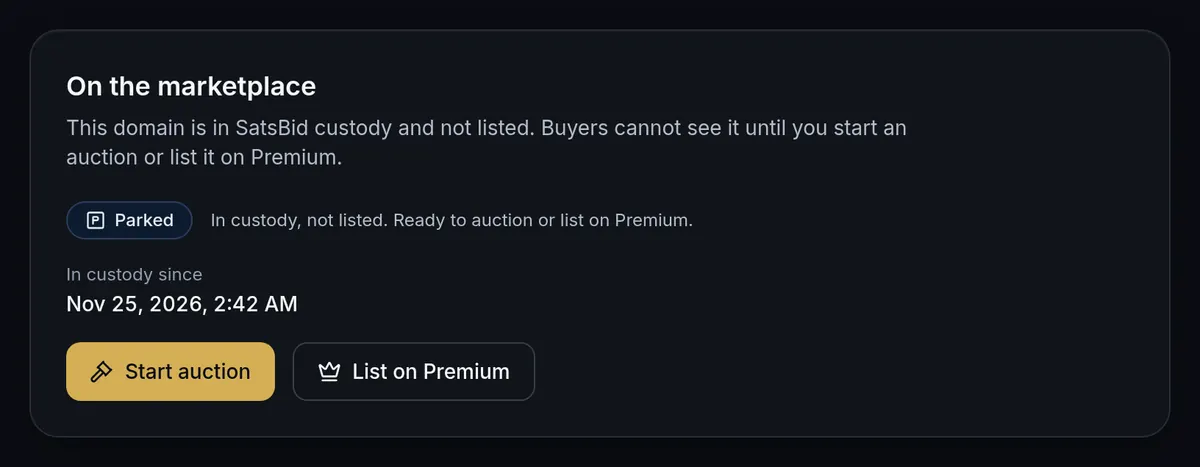
After approval, move the domain into custody. Once it is in custody you can start an auction or publish a fixed-price listing.
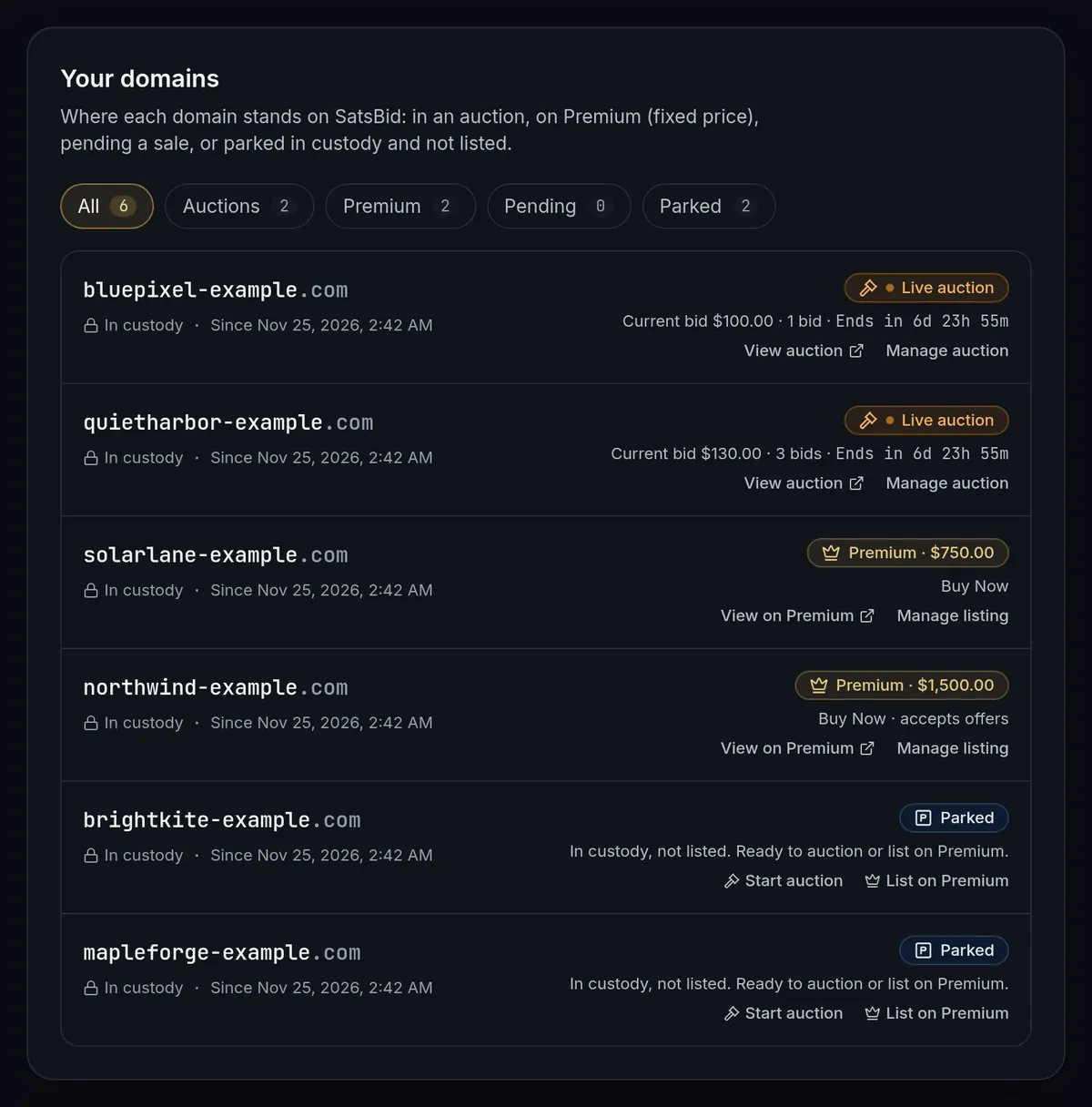
Account → Domains shows where each of your domains stands: in an auction, on Premium, pending, or parked in custody and not listed.
Last updated: November 26, 2026