Selling
Running an auction
Create an auction for a domain in custody: start price, reserve, duration, schedule and proxy bids, and what you can do after it ends.
Creating the auction#
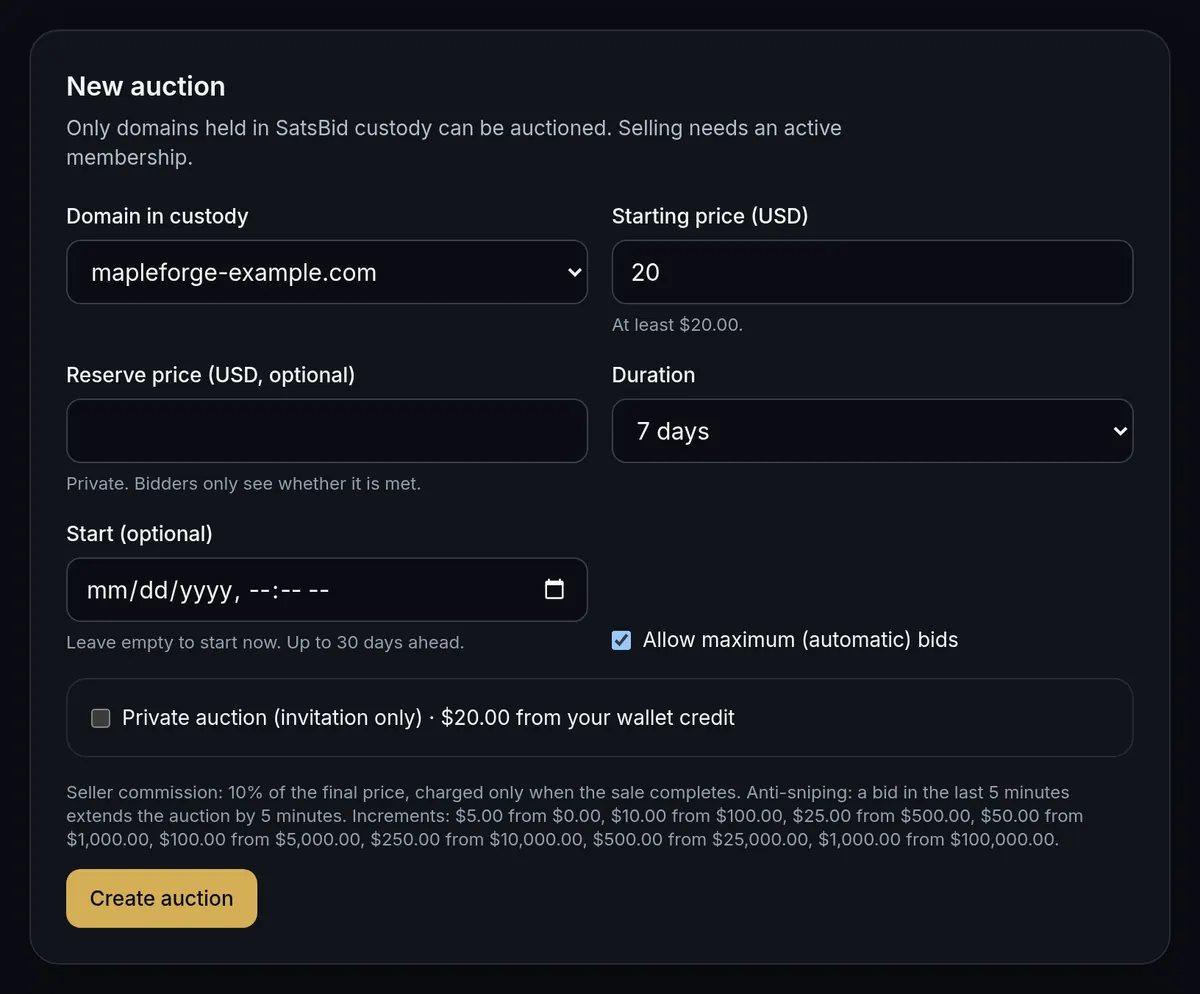
From Account → Auctions, choose a domain that is in custody and has no open auction or listing. Set:
- Start price: at least $20.
- Reserve (optional, private): the lowest price you will accept.
- Duration: 1, 3, 5, 7, 10, 14 days.
- Start: now, or scheduled up to 30 days ahead.
- Maximum (proxy) bids: allowed or not.
While an auction is open, the domain cannot be returned from custody.
During the auction#
Bidding follows the auction rules: binding bids, minimum increments, anti-sniping extensions of 5 minutes for bids in the last 5 minutes, and a public hash-chained bid log. You see bids live on your auction page.
After it ends#
- Sold: the winner has 48 hours to pay. After payment, SatsBid delivers the domain; you are paid 90% after the 5-day hold (Payouts).
- Reserve not met: you may accept the high bid within 72 hours. There is no commission if no sale happens.
- No bids: relist, list at a fixed price, or ask for the domain back.
- Winner did not pay: you receive 50% of the forfeited $10 deposit as compensation, and you may send a second-chance offer to the next-highest bidder at their own highest bid (up to 3 offers).
You can also withdraw an auction before it ends from your auction page, within the rules shown there.
Private auctions#
Tick Private auction (invitation only) in the form to make the auction visible only to the members you invite by email (up to …). It costs … per auction from your wallet Credit, an optional service. Bidding rules, the bid deposit and the commission do not change, and invited members still need a membership and the deposit to bid.
Last updated: November 26, 2026