Selling
Optional services
Optional paid extras with their live prices: featured placements, the homepage spotlight, storefronts, bulk CSV upload, professional seller, valuation reports, sponsored messages and private auctions.
On this page
Current status#
These services are optional. None of them is needed to buy or sell. Each one is paid once from your wallet Credit in Account → Services — or on the auction form for private auctions — and nothing renews by itself. Top up Credit first if your balance is too low.
The prices and limits on this page are read live from the same SatsBid settings that Account → Services charges, so they are always today's values. A dash (—) means a service is switched off right now. Market data and Lightning payments for membership are switched off and are not offered.
Prices at a glance#
| Service | Live price | Membership needed |
|---|---|---|
| Featured placement | … for … days | Yes (selling) |
| Homepage spotlight | … for … days | Yes (selling) |
| Storefront | … a year | Yes |
| Bulk CSV upload | … per file | Yes |
| Professional seller | … a year | Yes |
| Detailed valuation report | … per report | No |
| Sponsored message | … for … days | No |
| Private auction | … per auction | Yes, to create one |
What each service gives you, how to buy it and its limits are in the sections below.
Featured placement and homepage spotlight#
- Open Account → Services and choose one of your live or upcoming public auctions, or an active listing, under Item.
- Choose Featured placement (… for … days, up to … slots at once) or Homepage spotlight (… for … days, up to … slots at once). Each card shows the live price, the period and how many slots are free. When every slot is taken, the purchase is refused until one frees up.
- Confirm. The price is taken from your Credit and the placement starts at once.
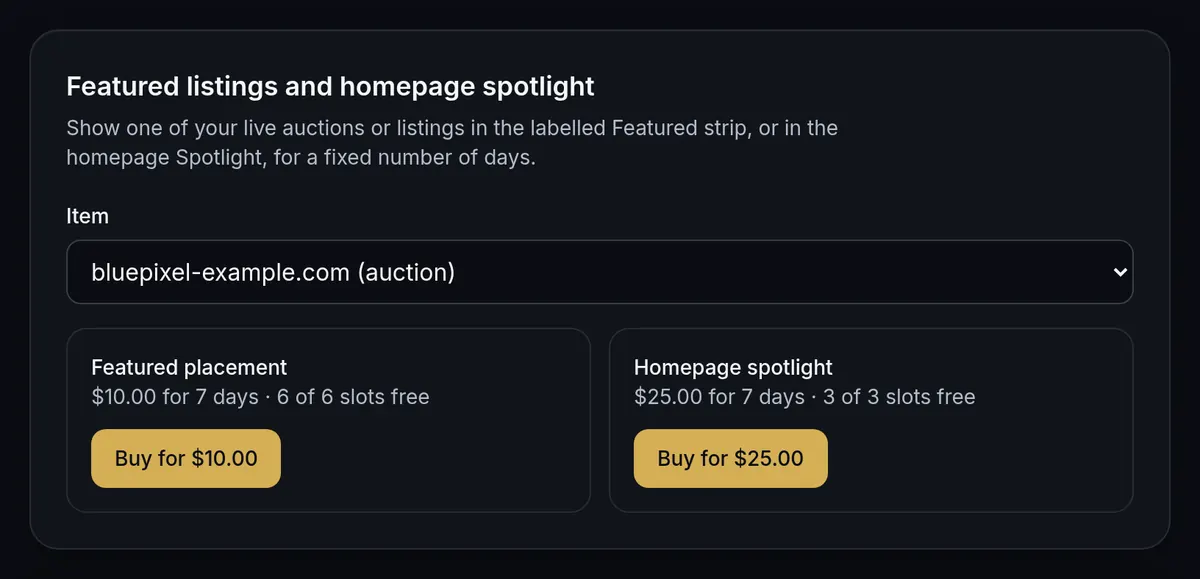
A featured item appears in the row labelled "Featured" on the homepage, Auctions, Premium and search; the spotlight is on the homepage. If the auction ends, or the listing sells or is withdrawn, the item drops out automatically. Private auctions cannot be featured.
Professional seller membership#
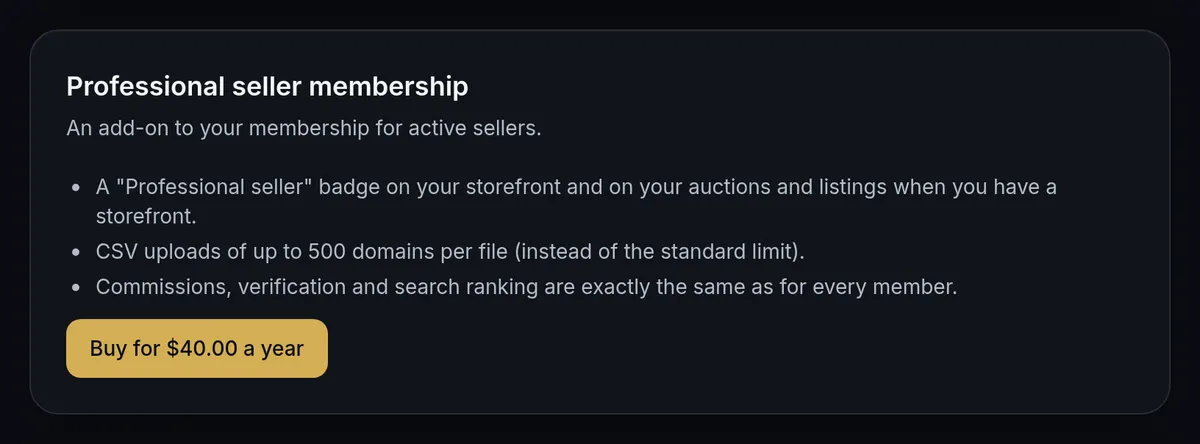
Professional seller (… a year) is an optional yearly add-on to an active membership:
- Adds a "Professional seller" badge on your storefront and, when you have a storefront, on your auctions and listings.
- Raises the CSV upload limit from … to … rows per file.
- Commissions, verification and search ranking stay exactly the same as for every member.
Est. value and detailed valuation reports#
Every domain on SatsBid shows a free, fixed Est. value: on auction and listing cards, detail pages, search, storefronts and, for your own domains, in your account. Hover over it, or tap it on a phone, to see why: the basis, the confidence (High, Medium or Low), the likely range and the comparable sales behind it.
- How it is worked out: from completed sales of similar names (length, kind of name, words) with the same extension, using completed public SatsBid sales and the public sales data of Probed.si (CC BY 4.0). When an extension has too few sales, similar sales in another extension are scaled by a price ratio measured from paired asking prices. When there are no close comparables, a statistical model of the sales data gives a Low-confidence figure. A dash (—) is shown only when there is no data at all.
- When it updates: it is calculated when a domain is listed or received, recalculated weekly for auctions and listings and every 14 days for other domains. The sales data is synced daily.
- What it is not: an automated market estimate, not an appraisal, offer, or guarantee. It never affects ranking, fees, reserves or verification. The public sales data mostly records sales of $1,000 and more, so estimates for ordinary names can be on the high side.
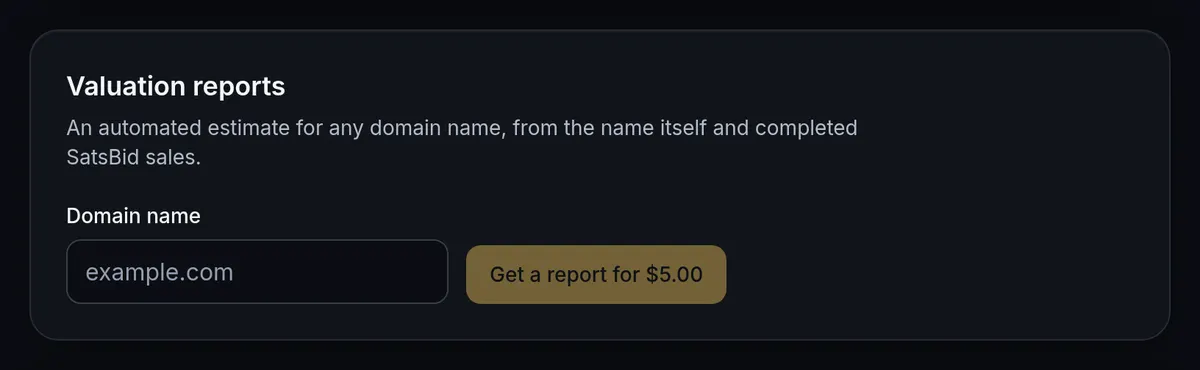
A detailed valuation report (… per report) shows the full evidence for any domain name: every comparable sale with its price, date and source, all factors, the range, the confidence and the sources. Reports are visible only to the member who bought them in Account → Services. No membership is needed. If no data covers a name, the report is refused before anything is charged.
Storefront and bulk CSV upload#
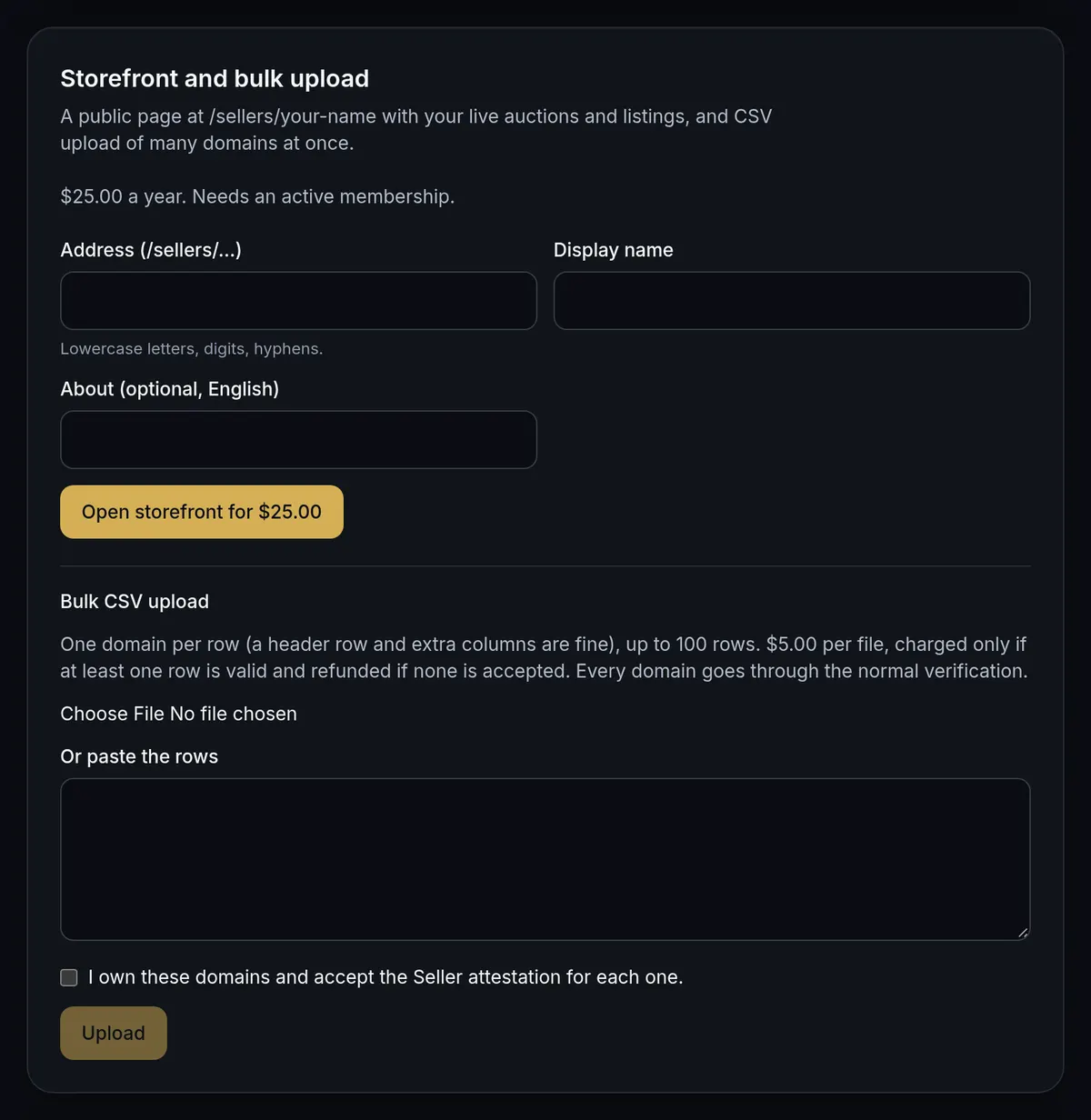
- A storefront (… a year) is a public page at
/sellers/your-namewith your live auctions and listings, a display name and a short "About" text in English. It runs for a year and can be renewed in its last 30 days. It needs an active membership. - Bulk CSV upload (… per file) submits many domains at once: one domain per row (a header row and extra columns are fine), up to … rows, or … with Professional seller. You accept the seller declaration for every row, and each row goes through the normal verification. The file price is charged only if at least one row is valid, and refunded automatically if no row is accepted.
Sponsored messages#
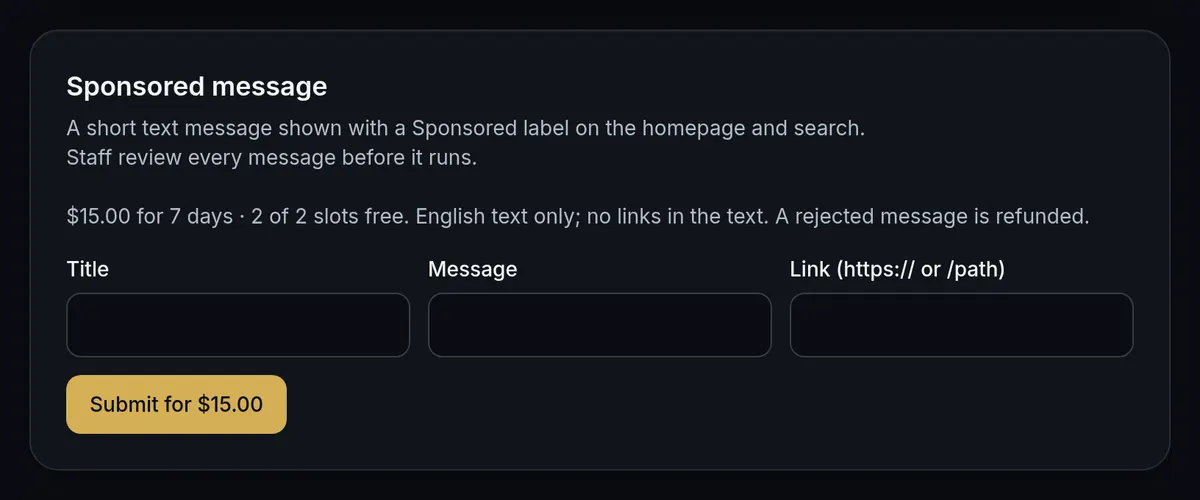
A sponsored message (… for … days) has a title, a short English message (no links in the text) and one link (https:// or a SatsBid page). It is shown for … days in a box labelled "Sponsored" on the homepage and search. Up to … messages run at once, and the card shows how many slots are free. Staff review every message before it runs, and a rejected message is refunded to your Credit. No membership is needed.
Private auctions#
When you create an auction in Account → Auctions, tick Private auction (invitation only) and add the email addresses of up to … members. The price, … per auction, is taken from your Credit when the auction is created.
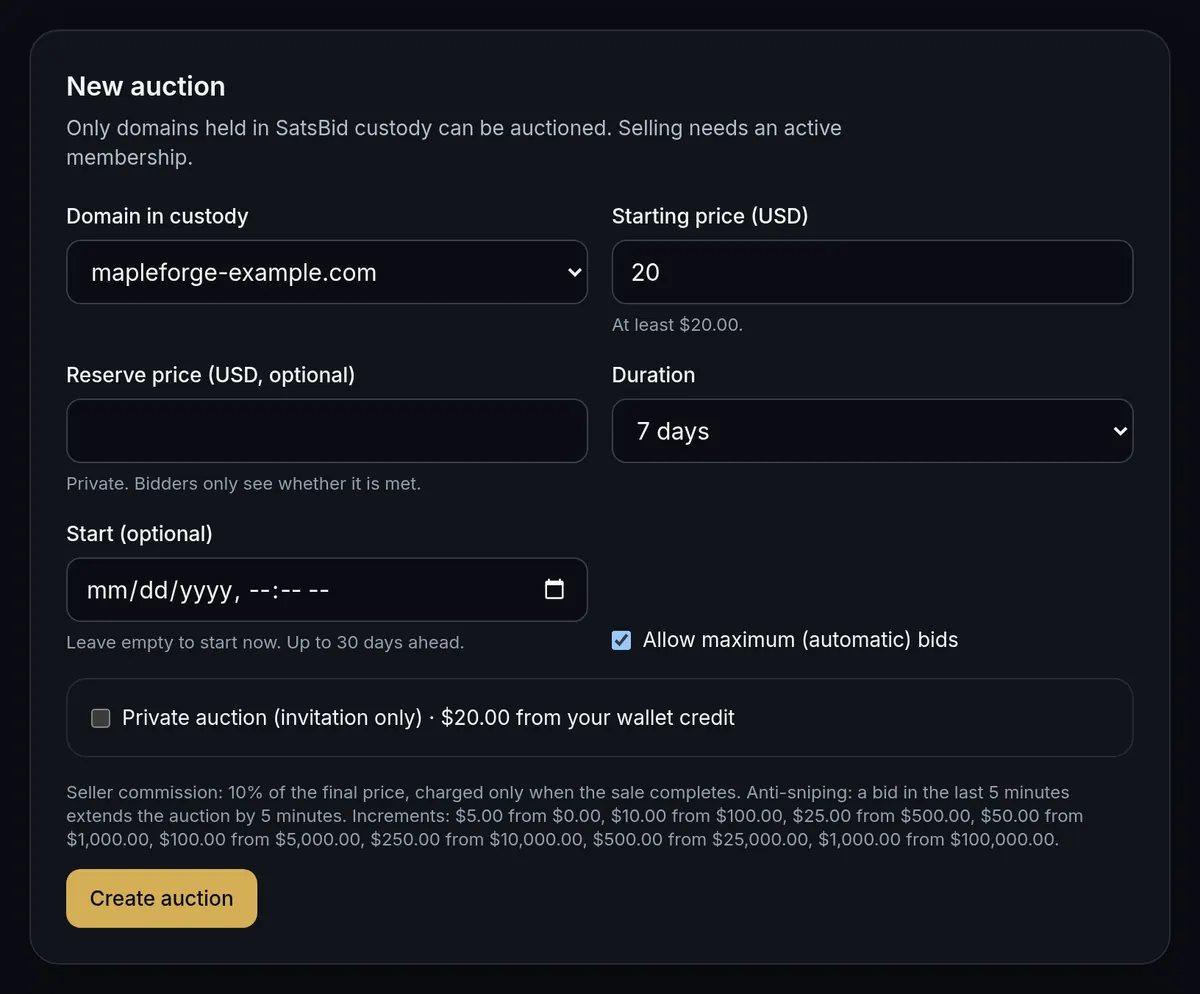
- Only you and the invited members can see or bid on it. SatsBid does not email invitations automatically: share the auction link yourself, and invited members can also find their invitations in Account → Invitations. You can add or remove invited emails on the auction page while it runs.
- The rules, the $10 bid deposit and the 10% commission are the same as for any auction. An invitation can be viewed without a membership; bidding still needs membership and the bid deposit. Private auctions are never featured and are left out of public sales statistics.
Rules every service follows#
- Paid with a flat price from your wallet Credit. It is not a commission: the 10% seller commission, the $20 membership and the $10 deposit do not change.
- Paid visibility is always labelled "Featured", "Paid placement" or "Sponsored". It never changes search ranking, auction order, verification or which bids are accepted.
- Your purchases and their status are listed under Your purchases in Account → Services. If a service cannot be delivered, staff can refund it to your Credit.
Last updated: November 26, 2026